Time is money.
Track it accurately.
Timenotes consolidates hours, tasks, and costs into a seamless, intuitive overview - empowering you to keep budgets on track and move projects forward with full clarity.
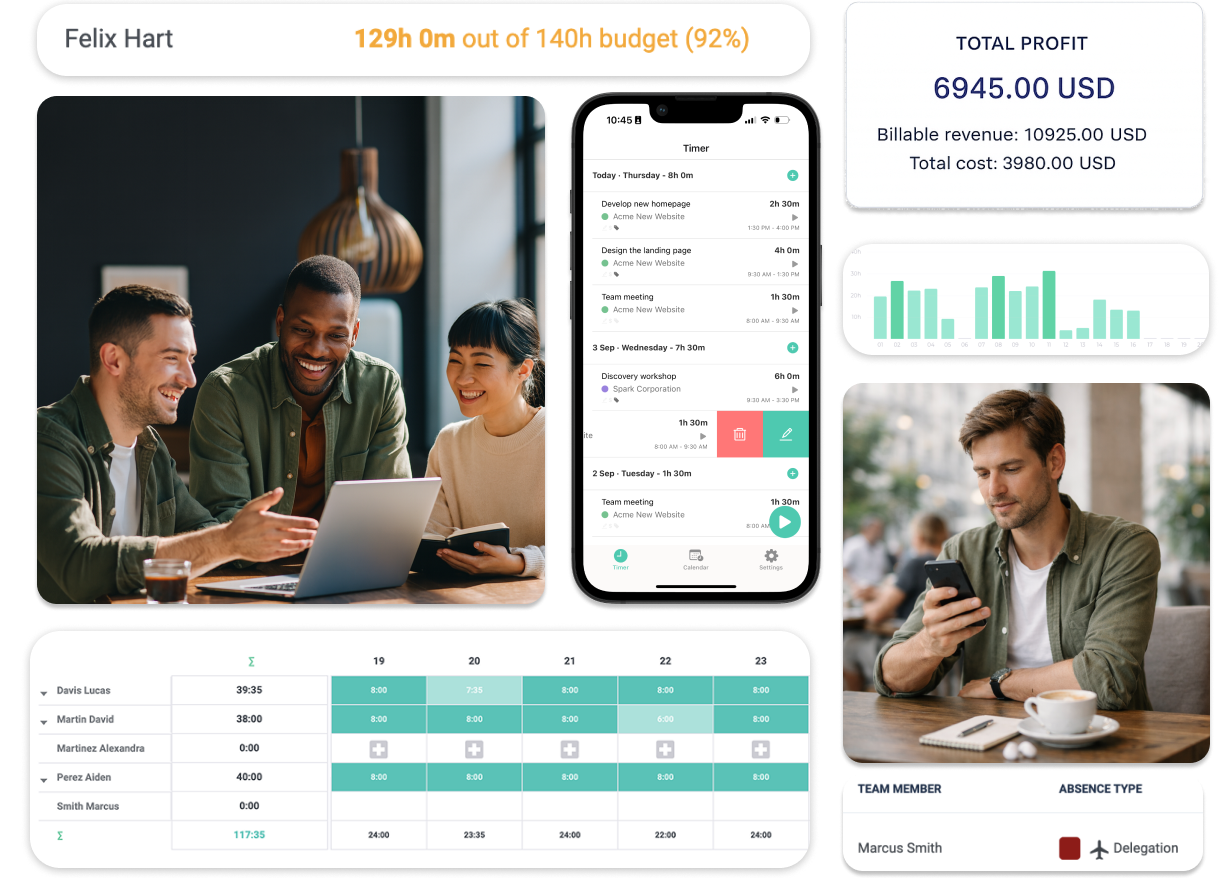
Helping thousands of companies manage time and budgets since 2018





time tracking
Time tracking that fits your team
Timenotes adapts to how your team works, not the other way around. Track time effortlessly, stay organized, and keep everyone aligned — wherever and whenever work happens.
- Start and stop timers
- Manage your day
- Fill you timesheet
- Track on mobile
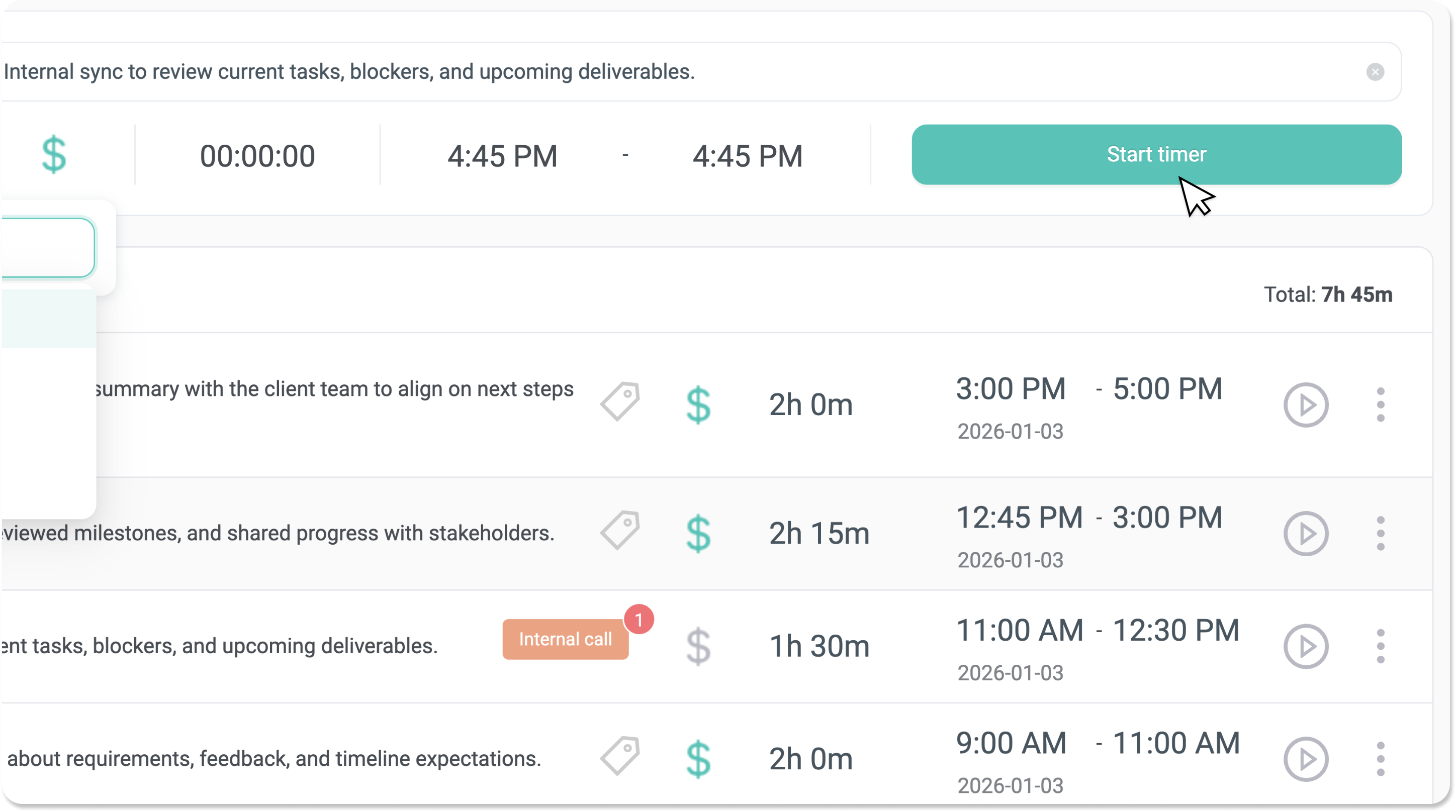

Track time live with a single click while working on tasks. No setup, no friction - just start, work, and stop.
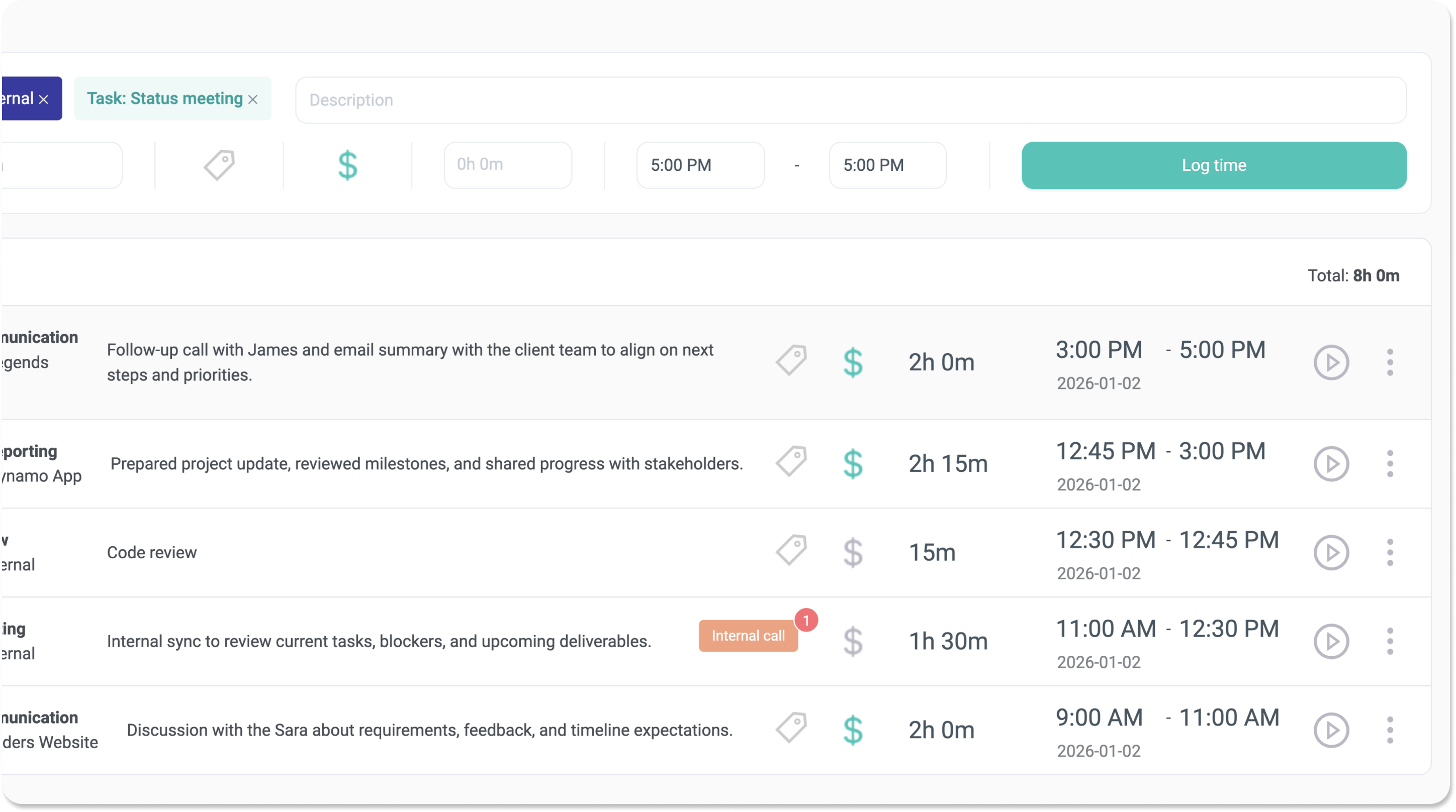
Quickly add manual entries or adjust existing ones when needed. See all tracked time in clear daily tables. Easily move or fine-tune entries to keep timesheets accurate.
Review clean weekly and monthly timesheets to see the big picture. Fix incorrect days, spot trends, balance workloads, and plan ahead.
Log time from anywhere with iOS and Android apps. Great for remote work, travel, or quick updates.
Manage your business data in one place
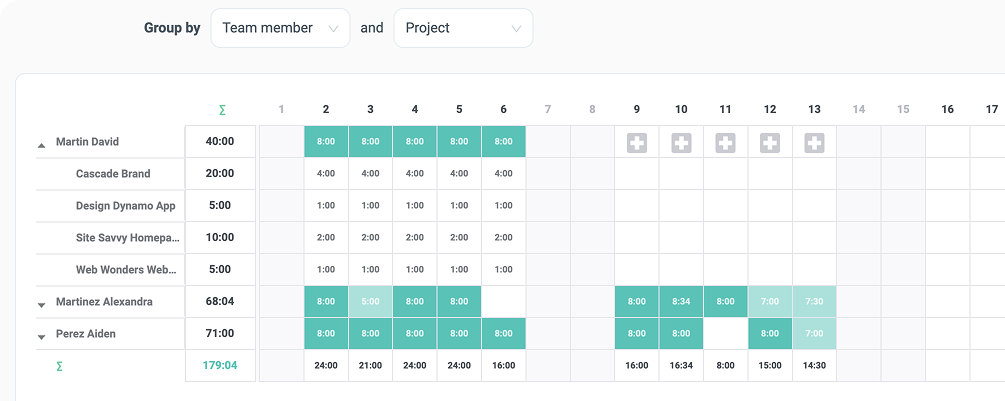
See everything in one unified timesheet
Get the full view of all tracked time in a powerful timesheet view. Instantly understand who worked on what and how time is distributed across your team. See real team capacity next to tracked time and approved absences combined. Spot overloads, gaps, and availability at a glance.
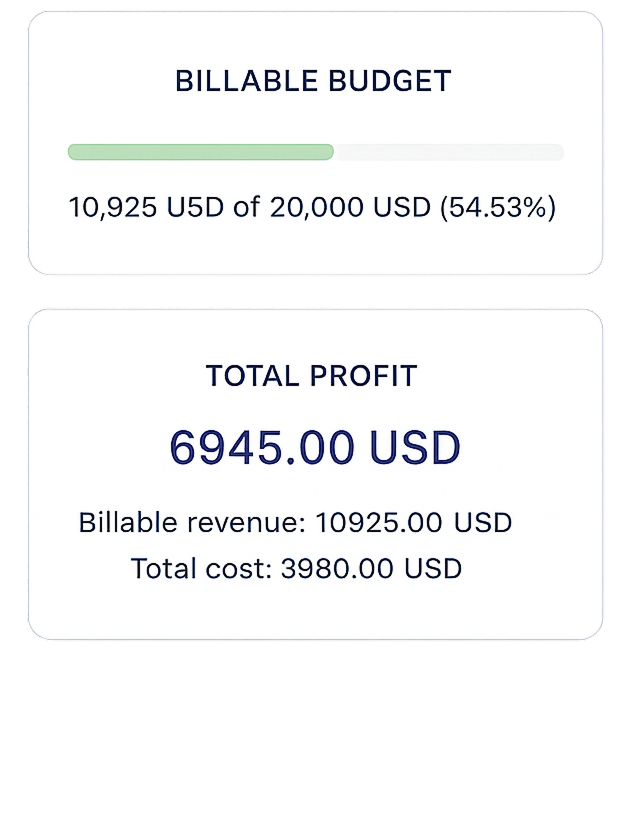
Track budgets and profits
Track time and money budgets per project in one place. Stay in control and catch overruns early. See how much each project earns versus costs in real time. Make better pricing and staffing decisions based on real data.
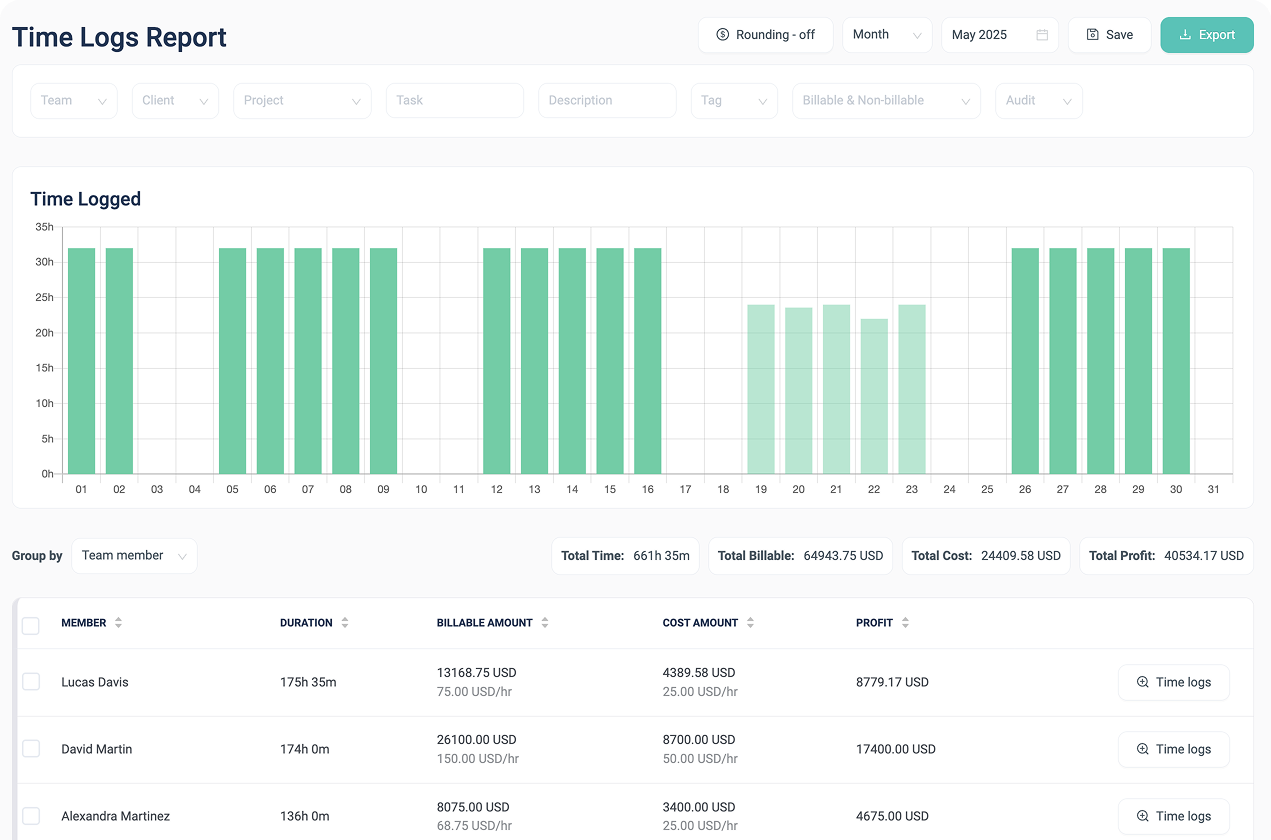
Create customizable reports
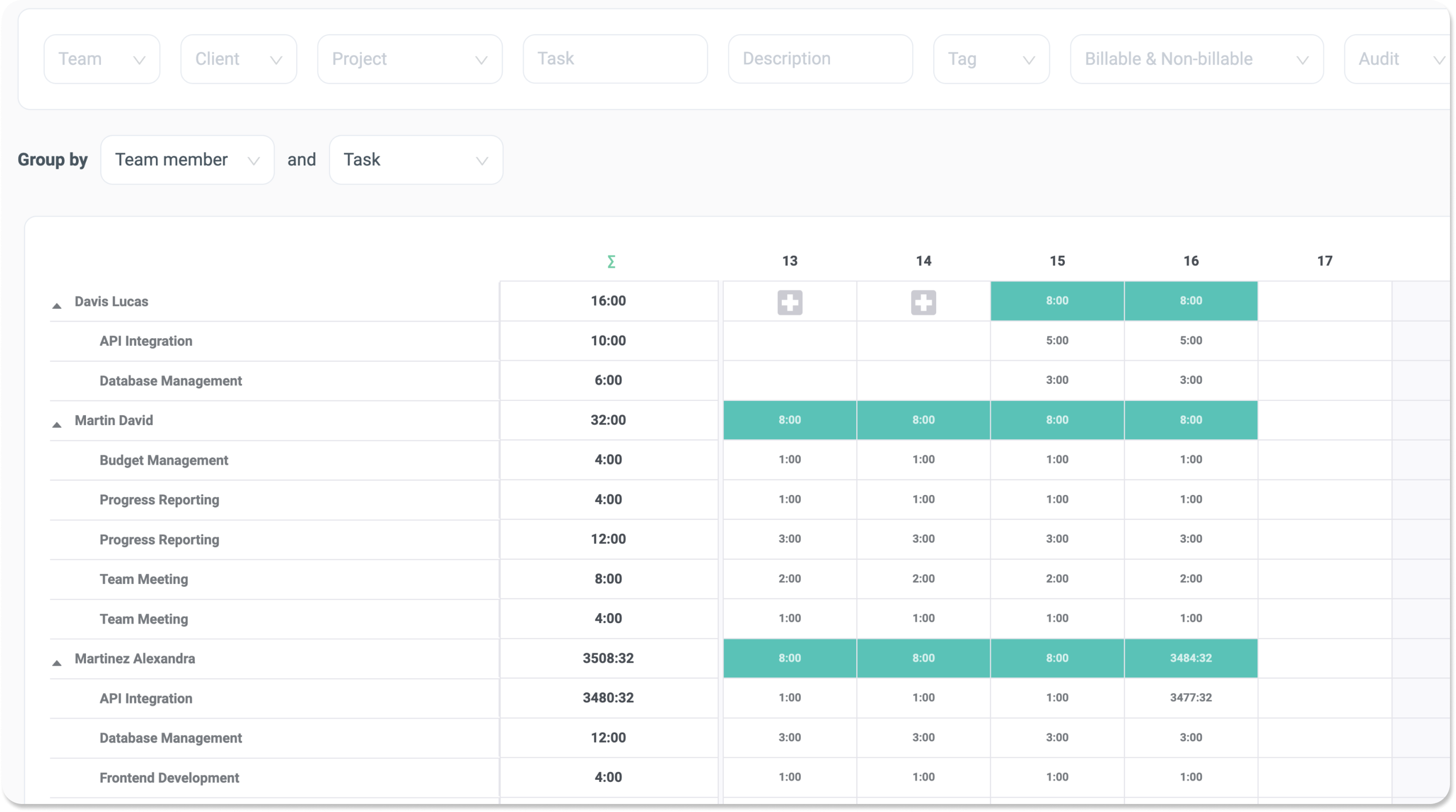
Build reports tailored to your needs using flexible filters and grouping. Turn raw time data into clear insights and save the reports settings to speed up regular operations.
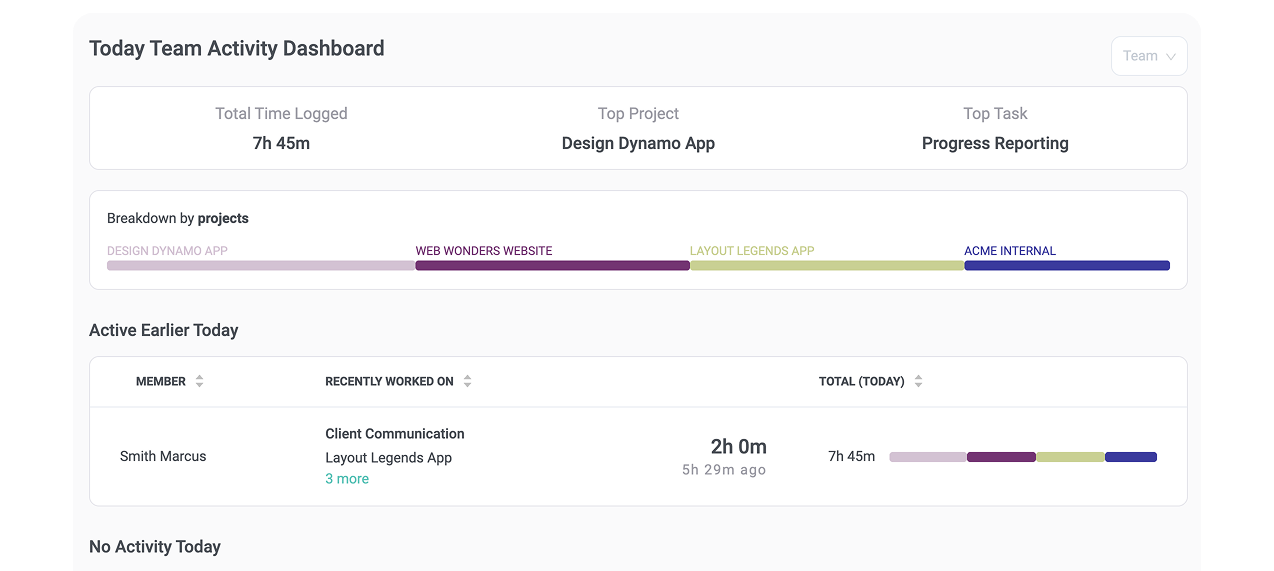
Monitor daily activity
See exactly what’s happening today across your team. Quickly understand who is working on what and where attention is going to keep projects moving without micromanaging.
Go beyond time tracking with advanced operational tools
Handle absence with ease
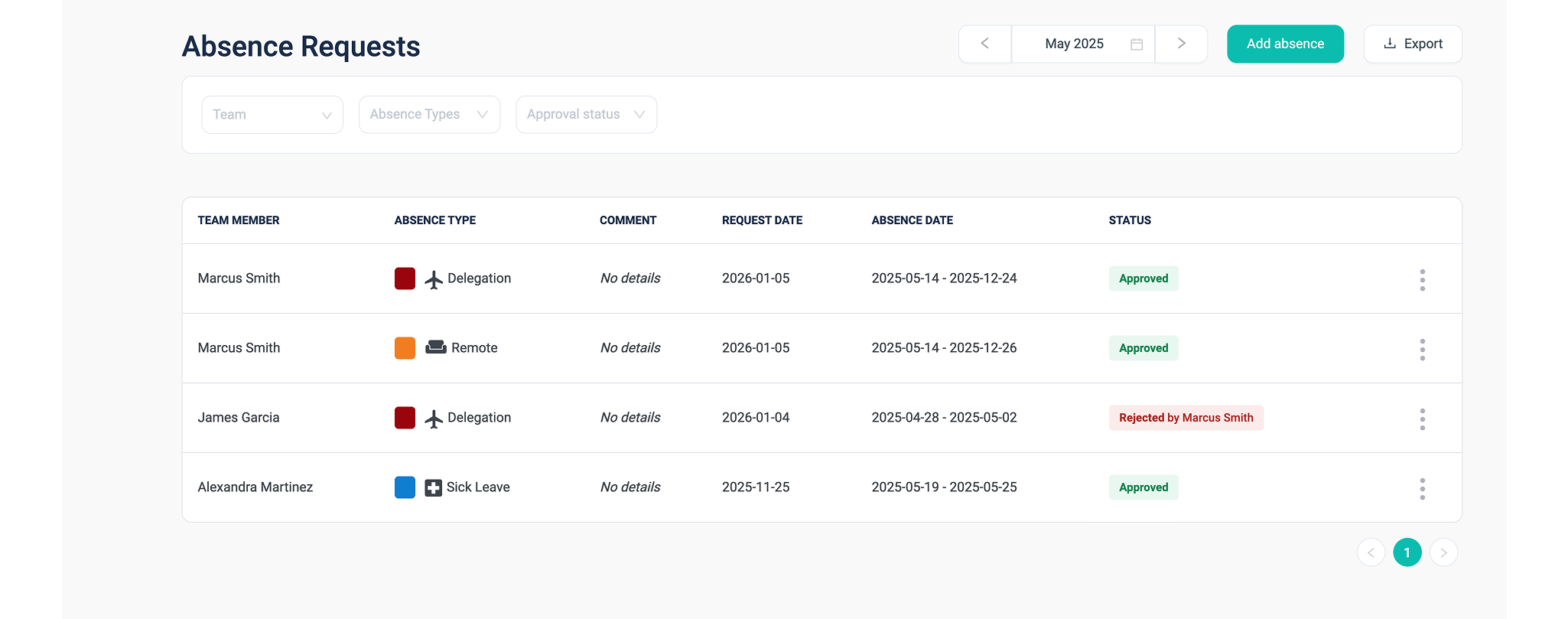
Configure absence types and approve requests for holidays, sick leave, and time off in one place. Clearly distinguish approved absences from missing time entries to keep planning accurate.
Approve timesheets with confidence
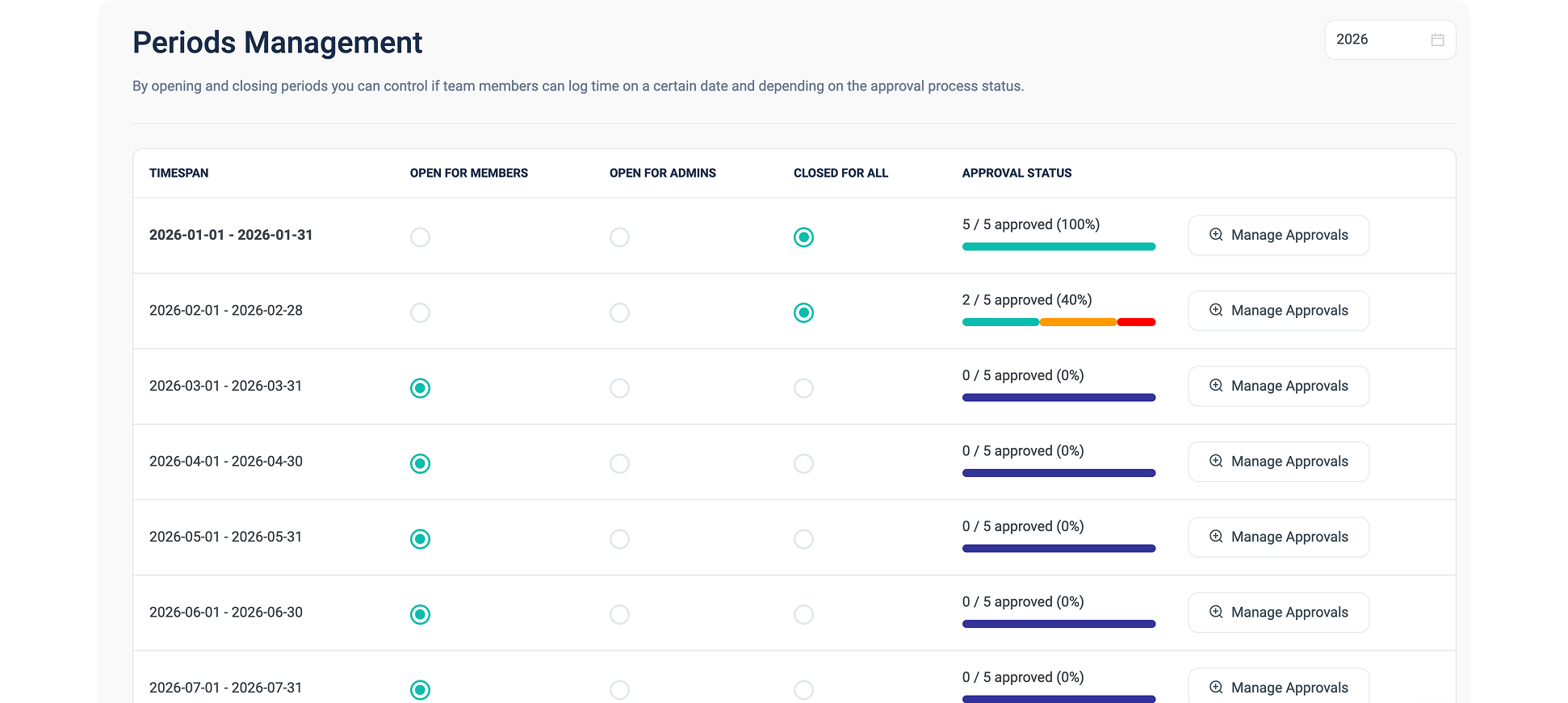
Timesheet approval makes it easy to see who has fully finalized their timesheet and who may have simply forgotten to submit it. This allows follow-ups to be precise, keeps the approval process tight, and avoids unnecessary back-and-forth.
Work across time zones
Track time naturally in your local time, wherever you work. Timenotes keeps reports simple and consistent without shifting or converting entries.
Timesheet locking
Lock approved timesheets to prevent further edits and finalize the reporting period. Get clear confirmation that time has been reviewed and accepted by both team members and managers.
and much more!
Explore additional features that support accurate time tracking, smooth workflows, and growing team needs - all in one platform.
No time tracking in your current tool?
Timenotes keeps tasks in sync with Asana, Github, Trello, Todoist and Basecamp, so your team can track time without recreating tasks or breaking existing workflows.
All changes stay synchronized, so your data remains accurate and consistent.

Turn accurate time tracking into real business clarity
Work across devices and interfaces
Track time seamlessly across desktop, mobile, browser, and project tools. Timenotes stays perfectly synchronized so your data is always up to date, no matter where or how you work.
Web App
Manage time tracking, reports, approvals, and billing in a powerful web app built for day-to-day operations and team visibility.
iOS & Android
Start, stop, and edit time entries from your companion mobile app, with real-time sync across your entire workspace.


Chrome Extension
Track time instantly from your browser, always within reach and easy to start or stop, without interrupting your workflow.

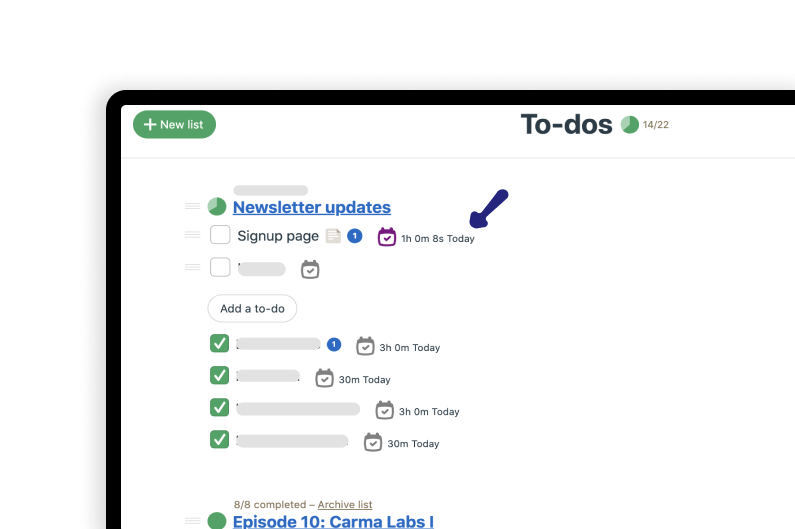

Full Basecamp integration
Track time directly inside Basecamp with Timenotes UI embedded into projects and to-dos. The Chrome extension adds inline time tracking buttons without leaving Basecamp, while keeping all data fully synchronized for accurate reporting and billing. Read more
Flexible plans for teams of any size
Timenotes plans scale with your team and always deliver exceptional value. Every plan includes all features, so whether you are solo or growing fast, we’ve got you covered.
Solo Plan
Free, forever for solo work
Start tracking in minutes with full feature access from day one. No trials, no limitations, a complete time tracking setup for one person.
Perfect for freelancers, founders, or anyone working independently. Upgrade only if your team grows, not because features are locked.
Small Team Plan
$6.99 per / month
Get the complete Timenotes experience at the best price. All features included, for up to 10 team members with no hidden surprises.
Built for teams that want clarity and control without enterprise complexity. Simple attractive pricing to allow you to scale your business.
Unlimited
$69/month - and never more!
One predictable monthly price that covers your business without the per-seat stress. Add people, onboard departments and scale!
Designed for fast-growing teams that value simplicity and cost certainty without constantly recalculating costs.
Be among thousands who take advantage of Timenotes!
Check what our clients say
The fact that tasks stay synced with Basecamp is huge. When a task changes in our project tool, it stays consistent in Timenotes, so reporting doesn’t turn into cleanup.
I track from the browser and just move on. Nothing fancy, but all I need and for free ;)
Mobile tracking is handy when the day is meetings and travel. I add a quick entry and love the fact tasks are coming from Basecamp, even on mobile!
We use Timenotes mainly for cost control. Hours roll up cleanly, and project costs are visible as we go. It’s not magic, but it prevents surprises.
The timer is one click and always there, and people actually use it. That’s basically all I need.
Approvals got tighter without becoming annoying. You can see who finalized their month and who just didn’t submit. Follow-ups are specific, not blanket reminders to everyone - that's a serious improvement for the worst part of month.
The daily activity view helps me understand what’s moving today. It’s visibility without hovering over people.
Before Timenotes, team time was a mess between spreadsheets and people’s notes. Now it’s one system. We’re not "perfect" at tracking, but we’re getting better, and that’s what matters. The budget view on project dashboard makes scope creep show up early instead of at the invoice stage.
The interface is clean and easy to follow. Most features are straightforward and have everything I need.
We compared a few tools and switched to Timenotes mainly for the timesheet view. It gives a better overview of team activity without extra steps.
I start a timer, forget about it, stop it. If I mess up, editing entries on mobile is quick. That’s the whole workflow, and it’s fine!
The flat monthly price made the decision straightforward. Timenotes covered the same features as our old setup, but without per-seat fees, so switching was an easy call.
The unified timesheet is the best part. Capacity + tracked time + approved absences in one view gives me everything I need to understand what is going on in the team of our size.
When we rolled out timesheet approvals and locking, we needed a bit of help to set it up properly. Support was responsive and walked us through the approval flow so it matched how we actually work. Once configured, it’s been running smoothly and removed a lot of confusion around submissions and follow-ups.
Make daily work easier with Timenotes so you can focus on your business
No credit card required