Basecamp Time Tracking
Love Basecamp, but miss the time tracking and reporting capacity?
Extend Basecamp with timesheets, reporting, budgets and much more!
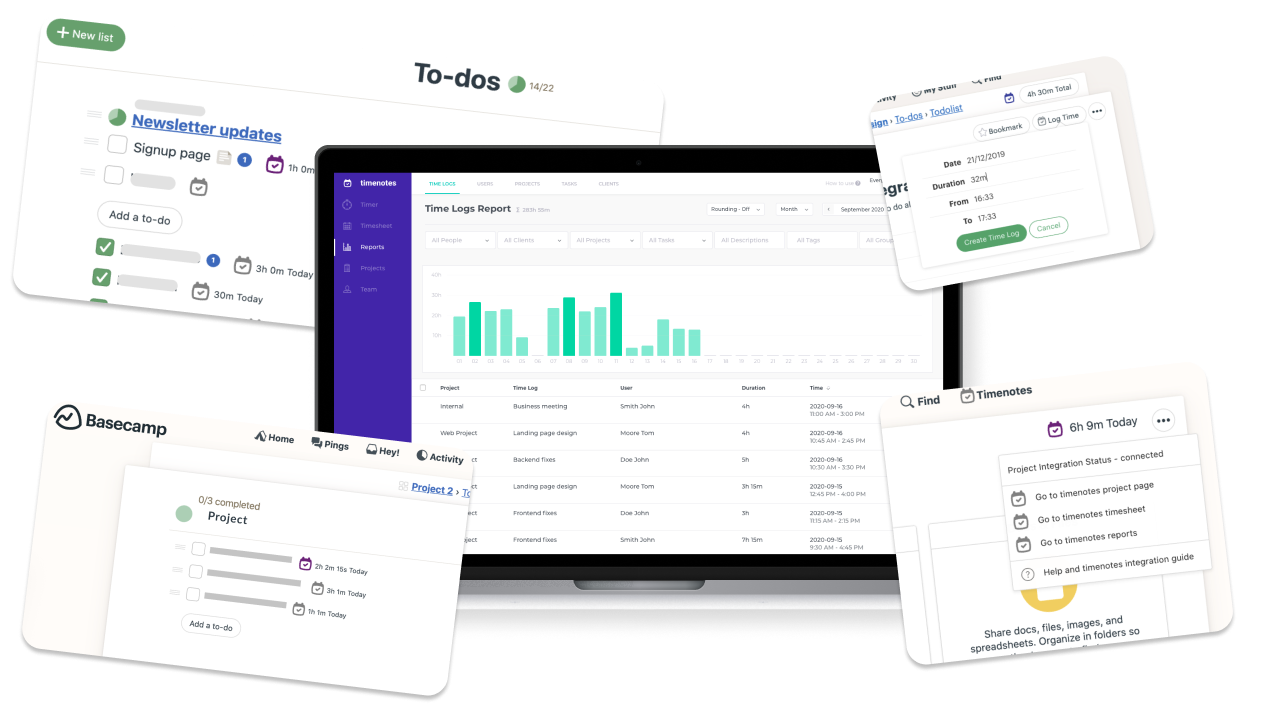





See how we extend Basecamp with time tracking capabilities!
Add time tracking to any project directly in Basecamp
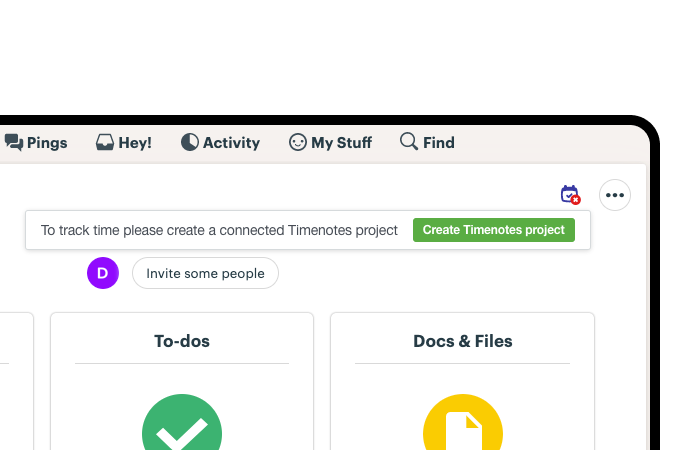
Start trackers at lists or track time using Timenotes buttons
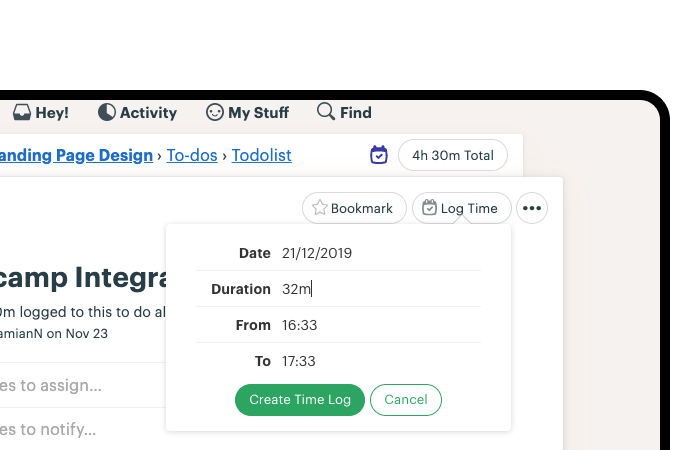
See the time spend anywhere in Basecamp interface
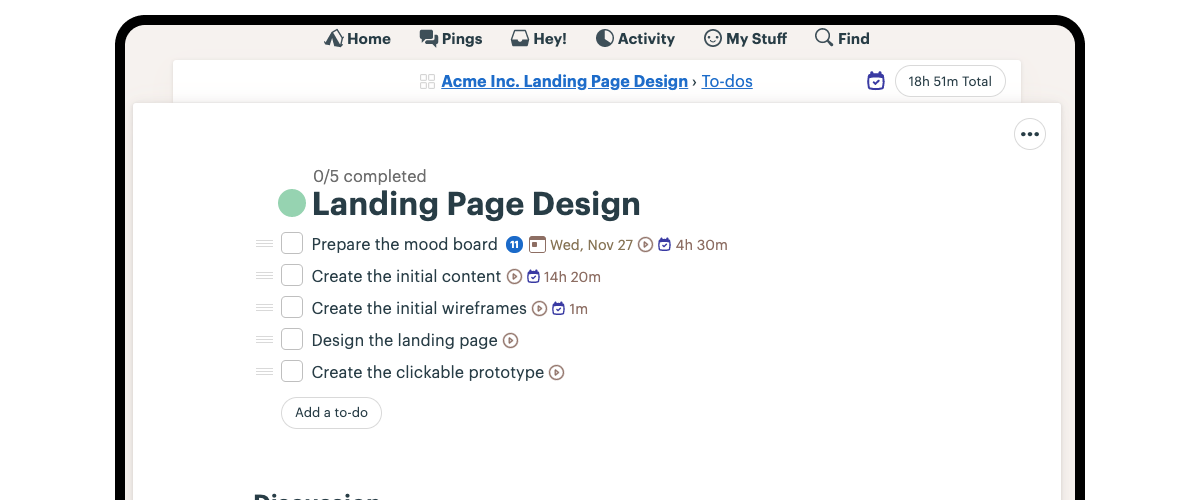
See the time tracking history on Basecamp task details
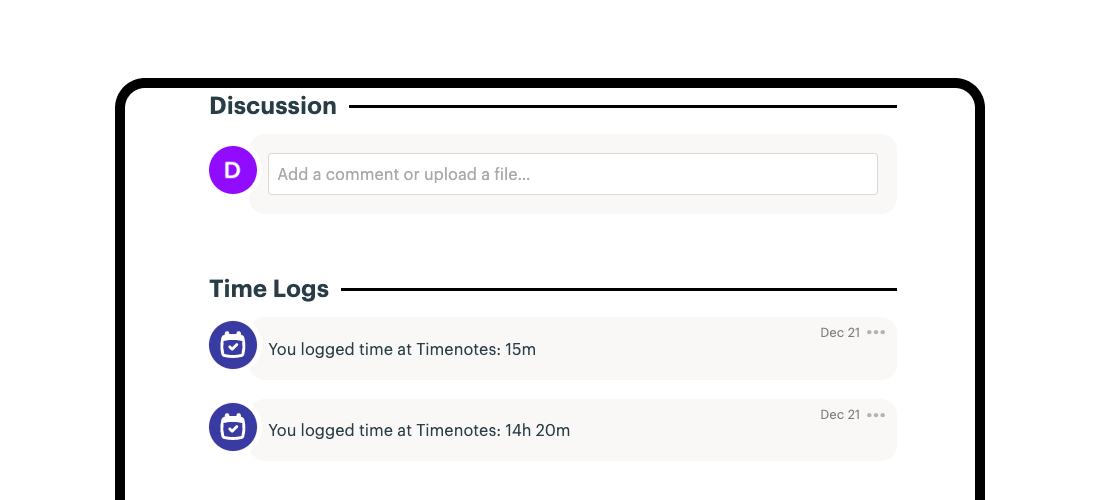
See your Basecamp time clearly in Timenotes
See all Basecamp time in one unified timesheet
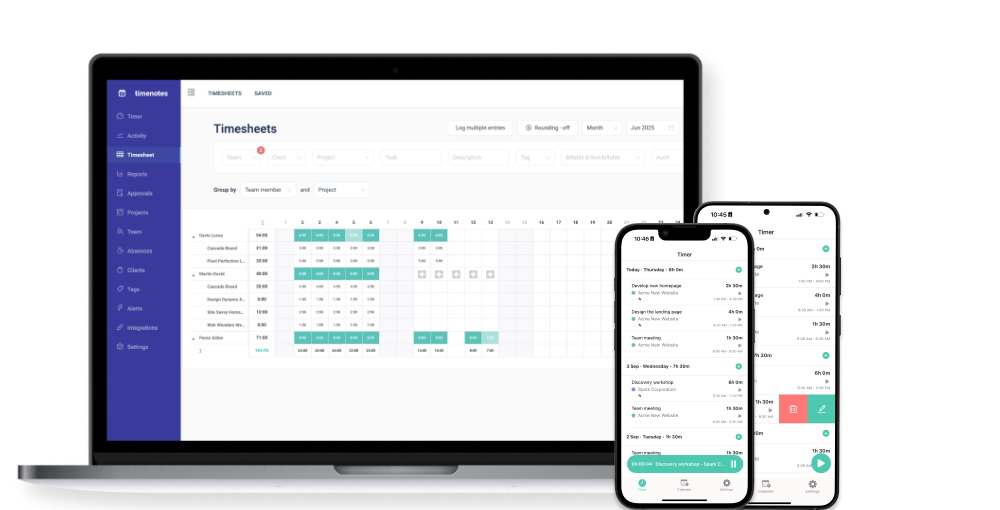
Get a complete view of time tracked across all your Basecamp projects in one powerful timesheet. Instantly see who worked on which Basecamp to-dos and projects, how time is distributed across your team, and how it aligns with availability and approved absences. Spot overloads, gaps, and real capacity at a glance.
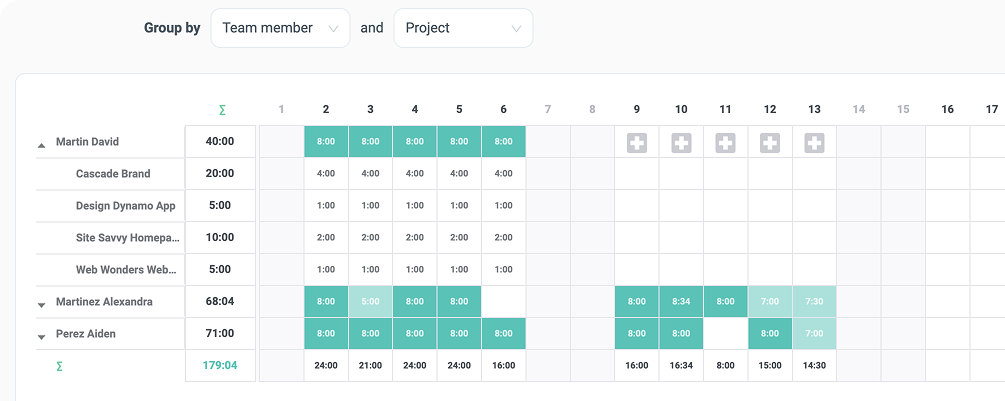
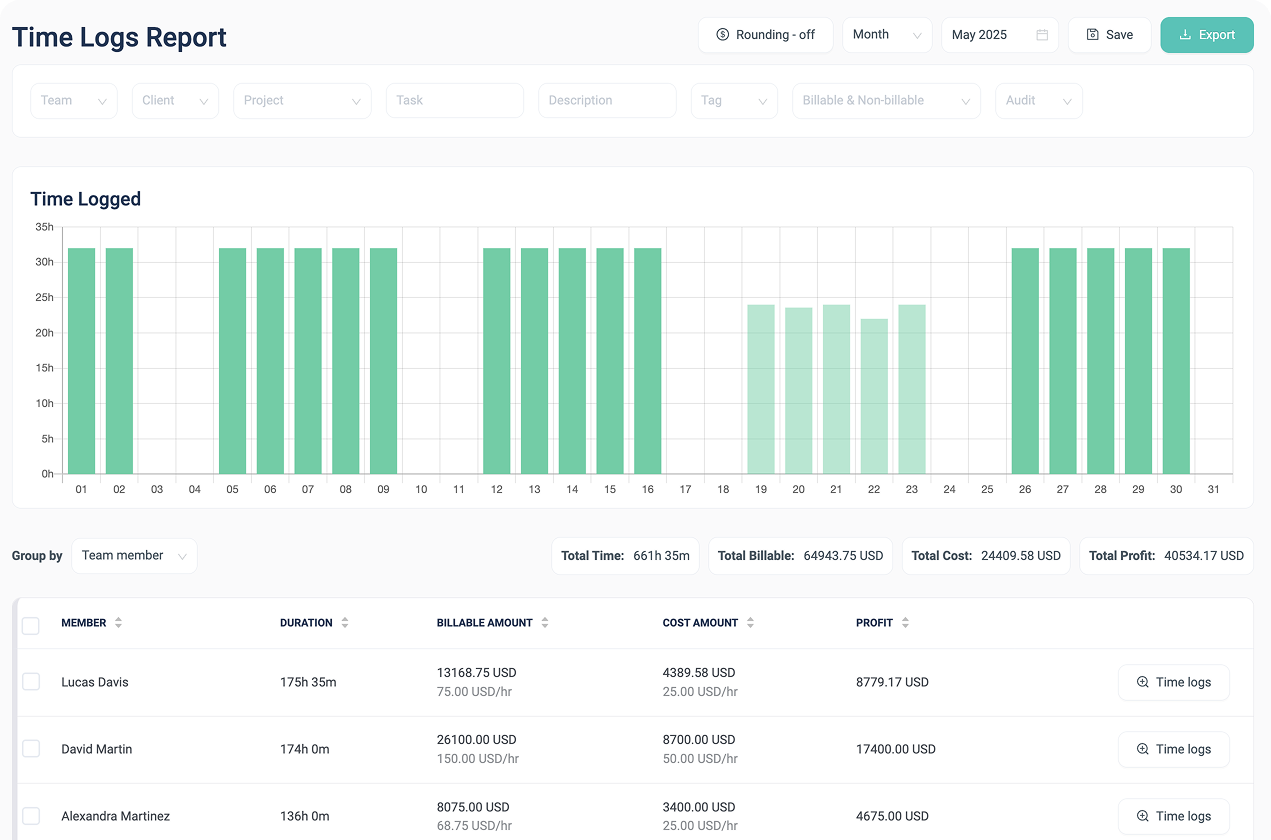
Create clear reports from your data
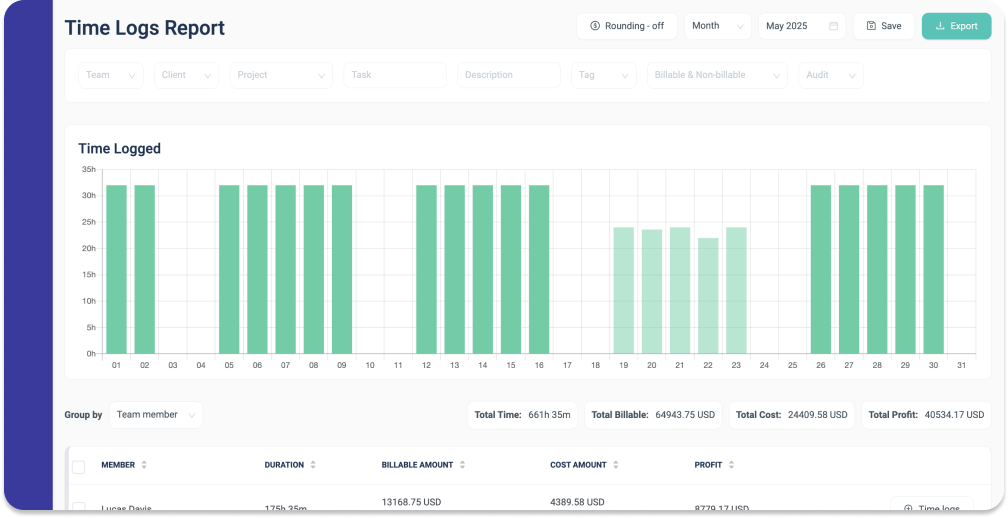
Build customizable reports based on time tracked in Basecamp projects and to-dos. Use flexible filters and grouping to turn Basecamp time data into clear, actionable insights, and save report settings to speed up recurring reviews and billing.
Start tracking time in Basecamp 3 in minutes!
Why to choose Timenotes as the best Basecamp time tracking solution?
1. Easy And Quick Setup
Connecting Timenotes to Basecamp is intuitive and easy. After signup with with your Basecamp account you can add Basecamp time tracking directly in Basecamp or in Timenotes with a single click.
2. Track Time In Basecamp UI
Timenotes will extend the Basecamp interface so you and your team will be able to use only Basecamp for time tracking. No additional tool to learn or switch, everything will be there and feel as part of the same tool.
3. Tasks & Time Logs In Sync
Next to tracking the time directly in Basecamp, all your tasks will also appear in Timenotes and synchronise any changes. Use Timenotes web interface, mobile app or web extension and powerful Timenotes timesheet interface.
Simple, Basecamp-style pricing
No hidden fees or addons. Pricing that scales with your team and caps at the best value.
Solo Plan
$0/ month for all users
- One active user
- Flat fee
- Time Tracking
- Integrations Tracking
- Team rates
- Budget tracking
- Unlimited projects
- All features included
Small Team
$6.99/ month for all users
- Up to 10 active users
- Flat fee
- Time Tracking
- Integrations Tracking
- Team rates
- Budget tracking
- Unlimited projects
- All features included
Unlimited
$69/ month for all users
- Unlimited users
- Flat fee
- Time Tracking
- Integrations Tracking
- Team rates
- Budget tracking
- Unlimited projects
- All features included
What else do you get integrating Timenotes with Basecamp?
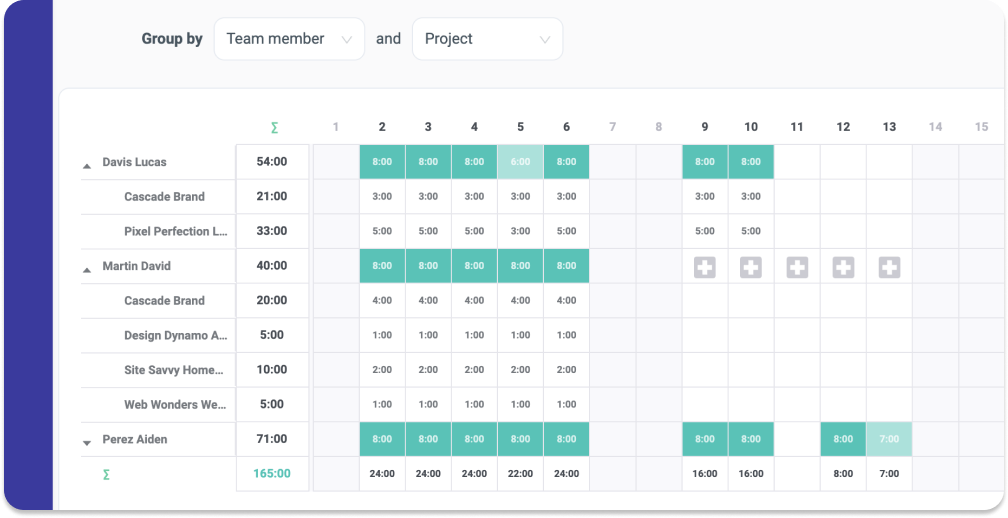
Transparent Timesheets
You can display all your Basecamp time entries in a beautiful monthly timesheet, grouped by users or projects and easily validate the time tracking status.
Time Reports Exports
Generate customised reports in seconds! Filter the time tracking data and export it into the format preferred by you and your clients: CSV, PDF or XLS.
Web And Mobile Apps
Don't worry if you’re working away from your computer. You can install Timenotes mobile app, available for iOS and Android, and track time for your projects anywhere.
Go beyond time tracking with advanced operational tools
Handle absence with ease
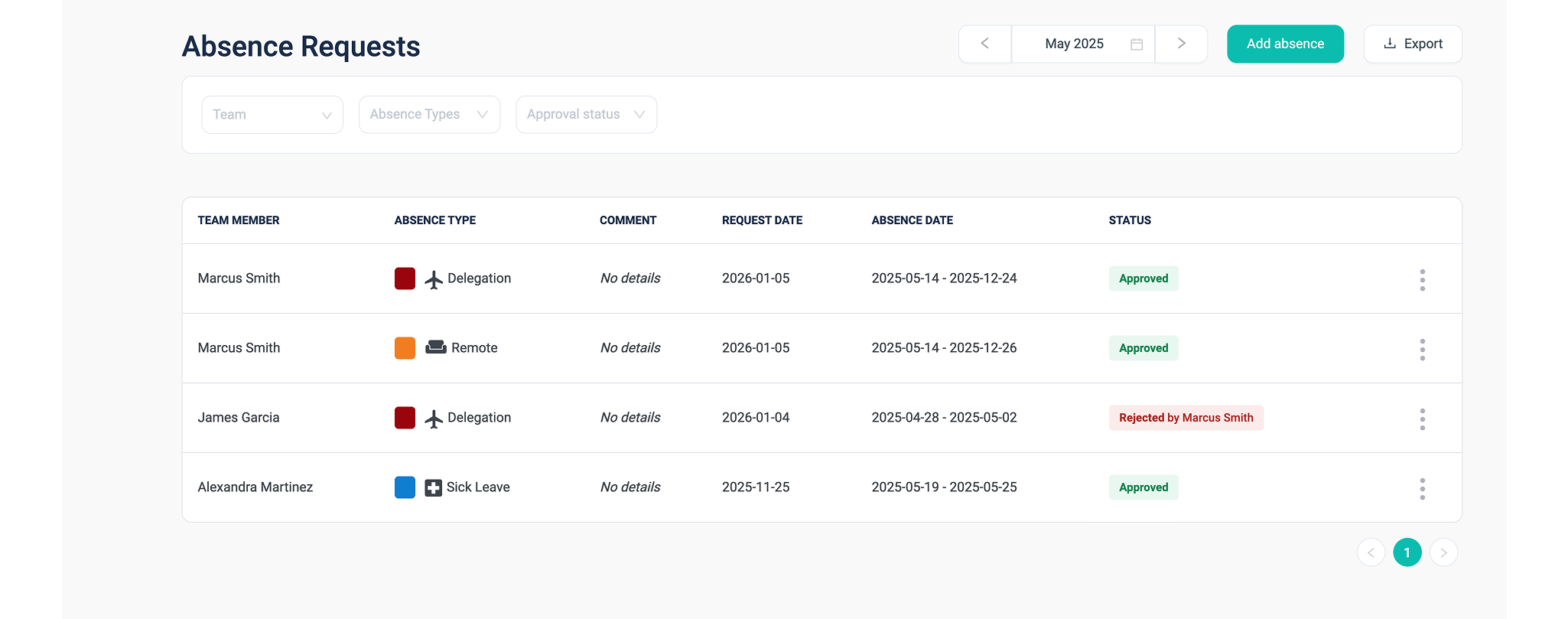
Configure absence types and approve requests for holidays, sick leave, and time off in one place. Clearly distinguish approved absences from missing time entries to keep planning accurate.
Approve timesheets with confidence
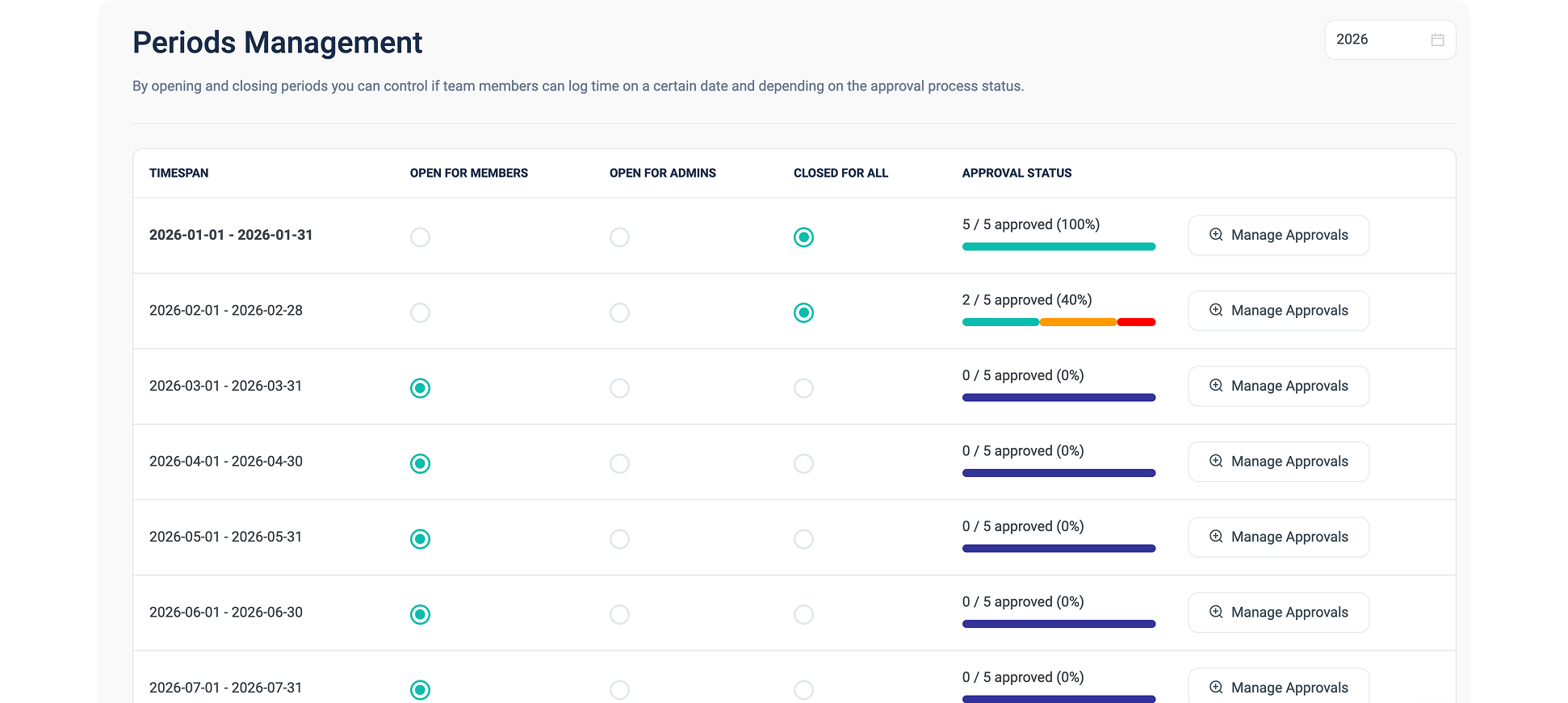
Timesheet approval makes it easy to see who has fully finalized their timesheet and who may have simply forgotten to submit it. This allows follow-ups to be precise, keeps the approval process tight, and avoids unnecessary back-and-forth.
Work across time zones
Track time naturally in your local time, wherever you work. Timenotes keeps reports simple and consistent without shifting or converting entries.
Timesheet locking
Lock approved timesheets to prevent further edits and finalize the reporting period. Get clear confirmation that time has been reviewed and accepted by both team members and managers.
and much more!
Explore additional features that support accurate time tracking, smooth workflows, and growing team needs - all in one platform.